Showing posts with label Holiday. Show all posts

Wednesday, February 28, 2018

Winter it up

I had said I was going to try to winter up the Christmas tree pictures, and I have.

I'm on the fence about this method. Maybe it's me, because I know they aren't originally winter scenes. But this is also my first attempt at it and I'm sure there are a few things I could do to make it a touch better. I'll have to play with them in the future, but this is the first try.

I've provided the original photo below the winter version so you can see what I started with.

Scroll to the end as I've listed how I created the winter feel to the photos.


So how did I make wintery? 
1) Open the original image in Photoshop.

2) Click the Hue/Saturation button on the Adjustments tab above Layers.
 -- Click the pointing finger and select the color I want to turn white from the image.
 -- You'll see the selection bar between the bottom two color scales. Make sure to include the colors you want. If there's green and yellows, like in my first image, I moved the center scales to include those colors. 
 -- Then, slide the Lightness marker to the level of "white" to appear.

3) If you need to bring skin colors back: click to make a new mask (while in this layer) which is the box icon with circle in it. Make sure your foreground/background colors are black/white. Then Using brush in size to your face(s) go over the people to bring them back out.

**If you have colors that still bleed through that you want whiter, create a new Adjustment for Hue/Saturation as needed.

Add Snow: (I downloaded different brushes so I have them in my brushes.)
1) Add new layer (the icon that looks like a piece of paper with bottom left corner folded up).

2) Click Brush and selected brush type and size. Then clicked on image. (Don't worry if cover people, you can remove that!)

3) To touch up faces and where snow is falling -- Click 'Add Vector Mask' then click brush and use regular brush. Brush over where snow not to be.


I downloaded brushes from different sites. The site with many links I found is Creative Bloq. This snow brush is from Brusheezy.

Wednesday, February 21, 2018

Holiday Pet Photos

If you have pets, you just have to see if you can take photos. 

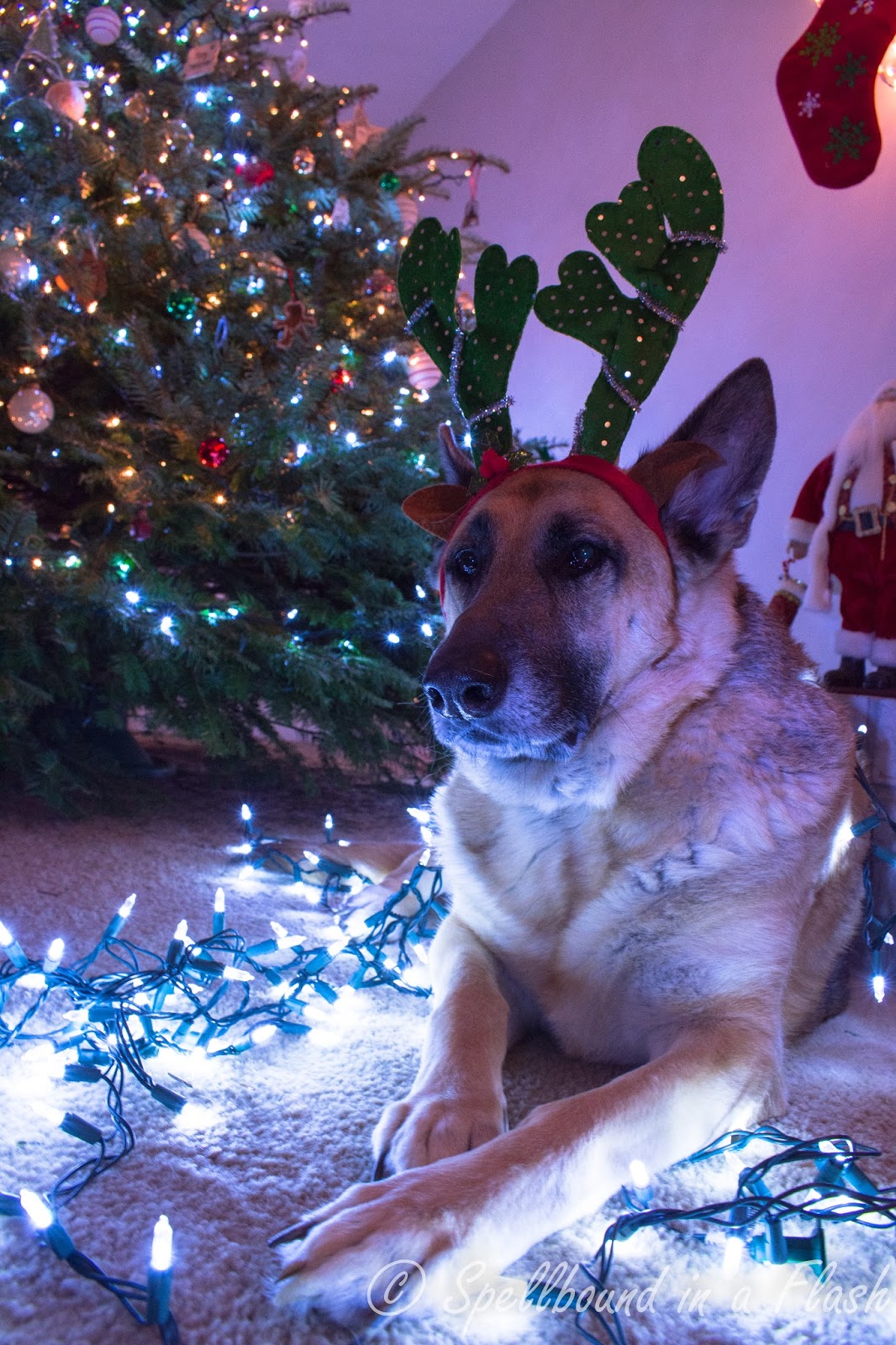
I needed a model and thought why not. Sheba turned out to be a perfect model. Sure, she fussed a little at first. But once she realized nothing was going to hurt her, and she got my undivided attention, she calmed and went with it.

Sometimes the sample photos turn out to surprise us. This image was taken on a whim to see if I could get a bit of blur in the background with Sheba's profile. I had an idea on the settings, but didn't know if it would turn out. The setting worked lovely for me. I left a blue tint to the photo because it didn't reflect off Sheba's fur and change her coat color.
ISO 400 38mm f/7.1 1/10sec


Below, you will see two sets of the same photos here. The first set I adjusted my White Balance Temp. The lights had a blue tint to their glow and did give a glow to Sheba's fur. To adjust for this, I moved the slider from the blue side toward the yellow side until the lights didn't leave the blue cast on Sheba. 

I've shared both, with the blue glow and without, so you can see the difference. I think it depends on your preference on which you like best.

I hope you enjoy Sheba's Christmas spirit in these photos.

ISO 400 21mm f/7.1 1/15sec

ISO 400 18mm f/7.1 1/15sec

ISO 400 18mm f/7.1 1/15sec

ISO 400 25mm f/7.1 1/15sec

ISO 400 25mm f/7.1 1/15sec

ISO 400 18mm f/7.1 1/15sec

ISO 400 18mm f/7.1 1/15sec

Now, with the Blue Christmas glow:

ISO 400 21mm f/7.1 1/15sec

ISO 400 18mm f/7.1 1/15sec

ISO 400 18mm f/7.1 1/15sec

ISO 400 25mm f/7.1 1/15sec

ISO 400 25mm f/7.1 1/15sec

ISO 400 18mm f/7.1 1/15sec

ISO 400 18mm f/7.1 1/15sec

Did you feel her excitement? I hope so.

And see the difference in the lights? Crazy, right!? Which do you prefer? It's something to always adjust the Temperature of the photos when looking at them. I know as a beginner, I didn't realize there could be such a difference. Now it's something I pay attention for and adjust right away. Always learning.

Wednesday, February 7, 2018

Oh Christmas Tree...We Found You!

I know Christmas is over and we are well into the new year. Readying for Valentine's day actually. But I didn't get to share my Christmas photos with being tied up with all the holiday racing around and preparing. So, I'm going to start with our tree.

We go to a local tree farm cut our tree down each year. It's become a tradition for us. And something fun for us to do together. It's about an hour drive to get there, so we make a day out of it. We pick on each other as we drive and laugh. Even on the way home, we talk about how big the tree is this year compared to previous ones and how it won't fit in the house. Even the fun of cutting or carrying it.

This year the tree was quick and easy to cut down.

These photos were taken with my new camera, I'm still getting use to it. Nikon D7200.

This is my son under the tree with my husband instructing. lol. My son brought along the girl he was seeing at the time. Yep, we share our goofy with everyone. But they have fun with us.
ISO 200 21mm f/8.0 1/40sec
This is one of my favorite images! The view under the tree as my son saws away. (Yes, I've always said it's more natural to saw than to use a chain saw. It makes it more personal! You have to work for that tree.)
ISO 500 18mm f/8.0 1/40sec
ISO 200 18mm f/8.0 1/40sec
I try to get a shot of the rings of the tree each year. When my son was younger we counted them to see how old the tree was. How many rings do you count?
ISO 125 40mm f/8.0 1/40sec
This was the view from the field we were at. It is so open and the air is fresh. I feel as though I could breath better here.
ISO 100 55mm f/8.0 1/40sec

How many does it take to carry the tree? It's heavier than it looks! LOL!
ISO 100 34mm f/8.0 1/40sec
I couldn't pass up this shot. They were having so much fun.
ISO 100 34mm f/8.0 1/40sec

I hope you had a wonderful holiday season and took all the photos you could along the way.

Wednesday, August 30, 2017

Twin Lakes Heritage Festival (1)

I've been looking for things to do now that kiddo is in college and we have a bit of time to do things on our own. It's hard to find! It's been years since I went to a local arts and crafts festival at Twin Lakes over Fourth of July weekend. The reminder to me, along with all the signs along the roads, was from a band I enjoyed last summer at the Thursday free concerts at Palace Theatre. So away we went.

Neon Swing X-perience was live on the stage. I enjoy photographing them as they are energetic and interact well with the crowd and each other. So here are some photo's for you.


Wednesday, February 15, 2017

Putting Christmas Away

Are you done with the Christmas photos? I think I am. So today is a few photos of putting Christmas away. I use to walk around the tree with the box to fill in hand. I don't do that anymore. It's easier to pile the bulbs on the table and put them away at one time. They are all there in one spot and I don't have to play the guessing game of where the bulbs are hiding.

These pictures are all similar, I know. But I liked the different views and focal points. Hope you like them as well. Which is your favorite view and focus? Let me know in the comments and I'll tell you mine. :)


Next week we'll move on to new things.